03Independent software · Desktop · Open source
 LabelMate
A local AI companion for YOLO labeling: the model proposes boxes, the person keeps the decision.
- Inference
- Local · Ultralytics YOLO
- Interface
- Python · PySide6
- Output
- YOLO-format labels
- Licence
- MIT · open source
My contribution
Designed and built on my own. The tool grew out of a real labeling need during my workplace training at Boğaziçi Savunma; LabelMate is its generalised, public form. I built it to keep labeling local and offline—protecting the data—and to make the process faster.
01Problem
Drawing every box by hand.
An object detector learns only as well as its labels. Boxing every object in every image by hand is slow, repetitive work, and as the data grows, labeling becomes the heavy part.
LabelMate turns the order around: the model proposes first, and the person reviews and corrects. Images never leave the machine; inference runs locally with a YOLO model the user chooses.


02Human and model
The model proposes; the person decides.
Every proposal is a starting point: accepted, corrected or deleted.
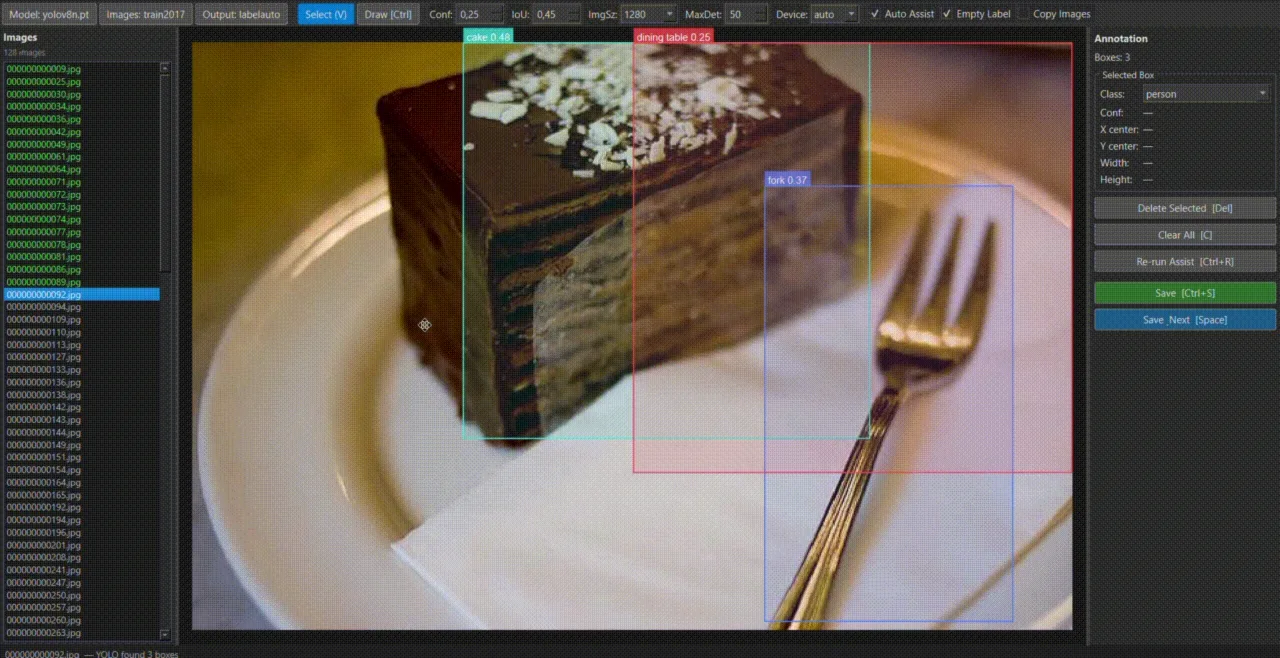
When an image opens, the model runs in the background; proposals arrive with a class and a confidence score (cake 0.48, dining table 0.25, fork 0.37).
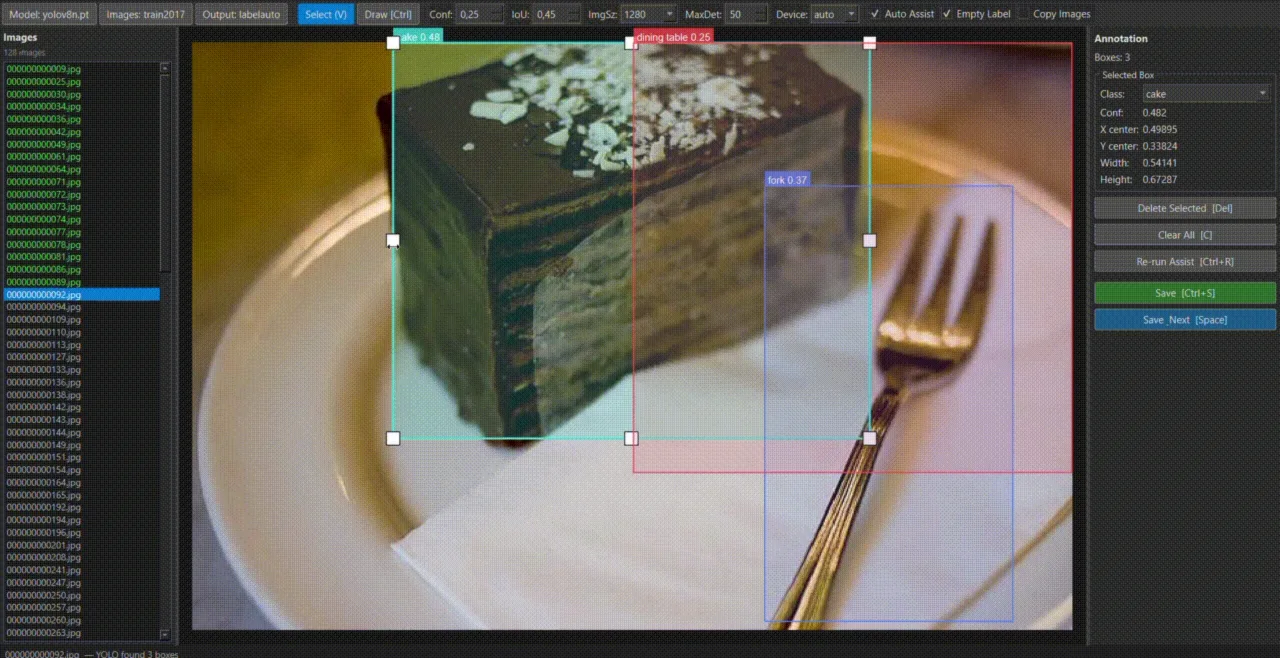
A selected box is moved and resized with eight handles; the side panel shows its class, confidence and normalised position.
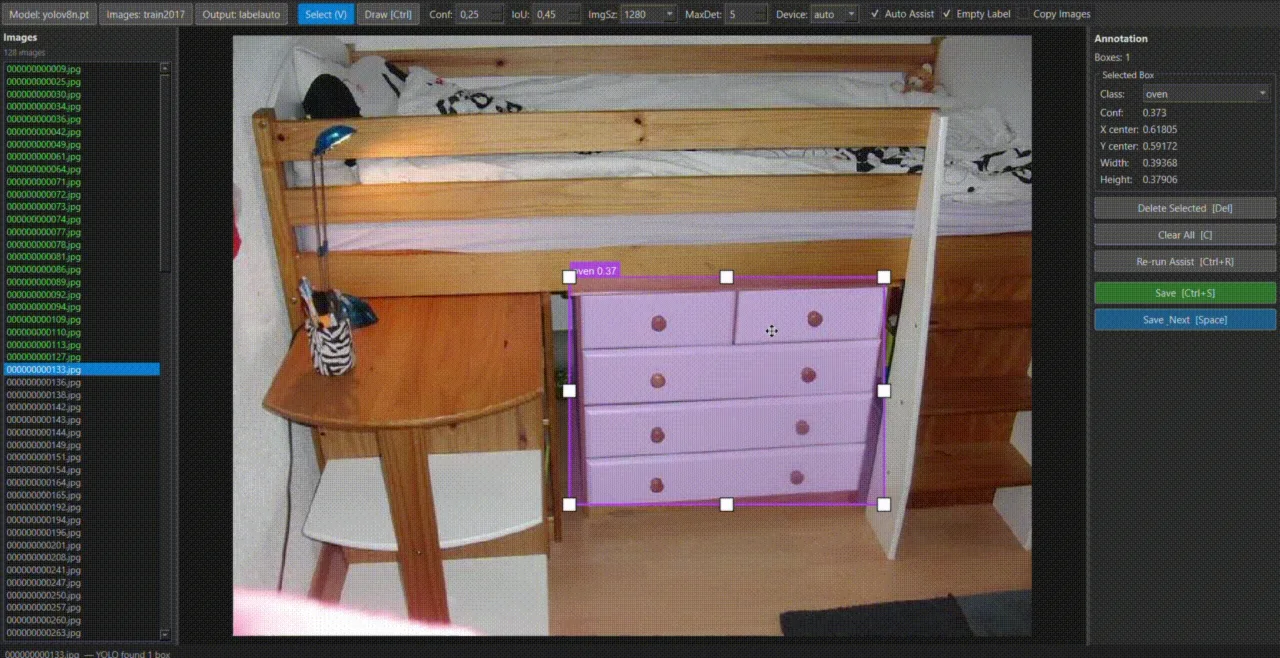
The model takes a chest of drawers for an oven (oven 0.37). The proposal reaches a person before anything is saved.
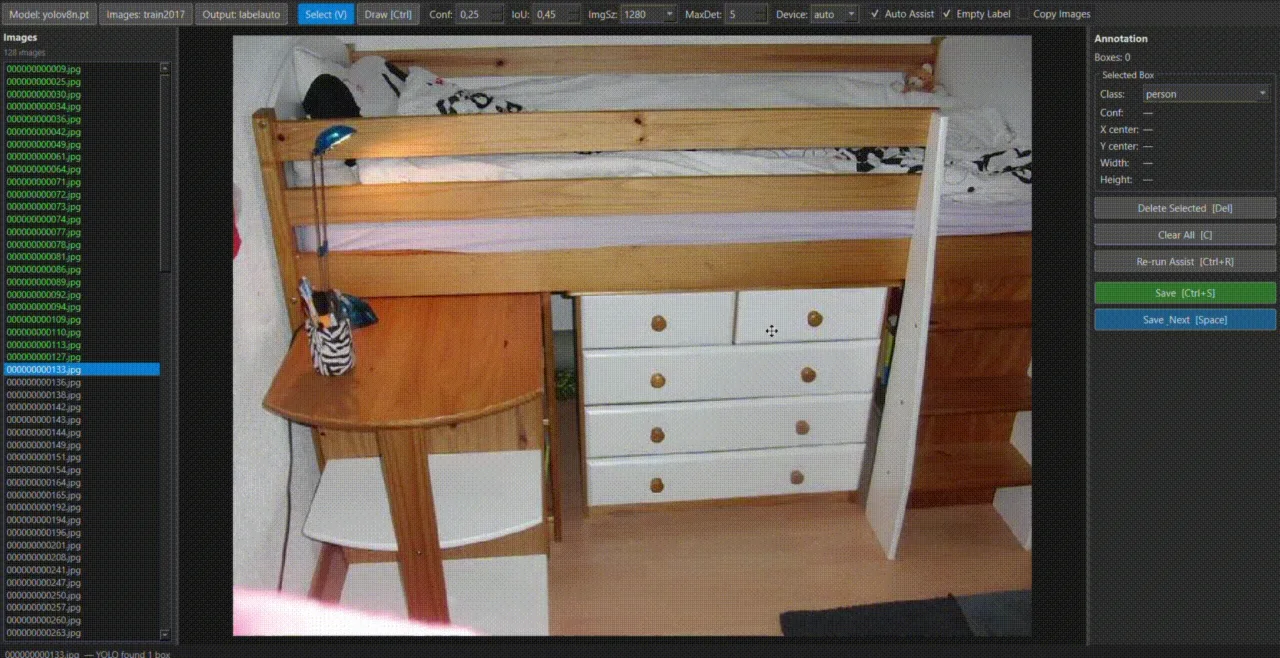
The user deletes the proposal. With “Empty Label” on, moving to the next image saves this one with an empty label file that says “no object here”.
The images are browsed from the keyboard, and an image with a saved label turns green in the list. The model can be wrong, so every proposal reaches a person before it is saved.
From the keyboard
- Space
- save, next
- A / D
- previous / next
- Del
- delete box
- Ctrl+Z
- undo
- Ctrl+R
- re-run assist
The recording uses a pretrained YOLOv8n on COCO images. No usage, time-saving or accuracy measurement was reported.
03Under the hood
The interface stays responsive; the model works in the background.
Every image takes the same path.
When a model is chosen · once
- Model choice
ModelDialog.pt / .onnx, or a preset YOLO11 / YOLOv8 download - Loading
YOLOModel.loadUltralytics YOLO - Warm-up
WarmupWorkera first inference on a blank 640×640 image
For every image
- Image opens
_open_imagelist and canvas update - Saved label?
read_labelif so it loads; the model does not run again - Inference
InferenceWorkera separate thread (QThread) - Proposals
results_readya Qt signal; dropped if another image is open - Person edits
Canvasselect · move · resize · delete · draw - Save
write_labelon Space, or when the image changes labels/<name>.txtnormalised YOLO lines
04Canvas
A move on screen, a change in the data.
The canvas works in three coordinate planes: the screen, image pixels, and the normalised values in the file. A mouse move is first mapped to image pixels, the edit happens there, and the result is normalised to the 0–1 range.
Boxes are clamped to the image and their corners sorted, so a box drawn backwards stays valid. Zooming keeps the point under the cursor in place.
Before every edit, a full copy of the boxes goes onto the undo stack: up to 50 steps back and forward.
Screen
mouse · zoom · pan
Image pixels
moving, resizing and clamping happen here
File · 0–1
x0.49895y0.33824w0.54141h0.67287
Undo stacka full copy before every edit · up to 50
05Output
From editing to training data.
One text file per image, one box per line. The class number, centre and size are normalised to the image; the confidence score is not written to the file.
Class names come from classes.txt in the output folder, or from the model. Optionally, the images are copied into the output folder too.
Output folder
output_folder/labels/image001.txtimage002.txtimages/optionalclasses.txt
One line, one box
00.5123000.4382000.0341000.028900class: 0 · centre x: 0.512300 · centre y: 0.438200 · width: 0.034100 · height: 0.028900
06Outcome
From an internal need to an open tool.
- 01
Local
Images never leave the machine; inference runs on the user’s computer with the chosen YOLO model.
- 02
Person in control
The model only proposes; saving, correcting or deleting is the person’s call.
- 03
Responsive
Warm-up, inference and model downloads run in background threads.
- 04
Open
MIT licence; a Windows setup script that creates a virtual environment and a desktop shortcut.
Scope: optimised for single-class workflows, with multi-class through classes.txt. Image folders only; video is not supported. GPU use is left to Ultralytics. No usage, time-saving or platform-test measurement was reported.
Independent project · 2026 · MIT licence